Introduction
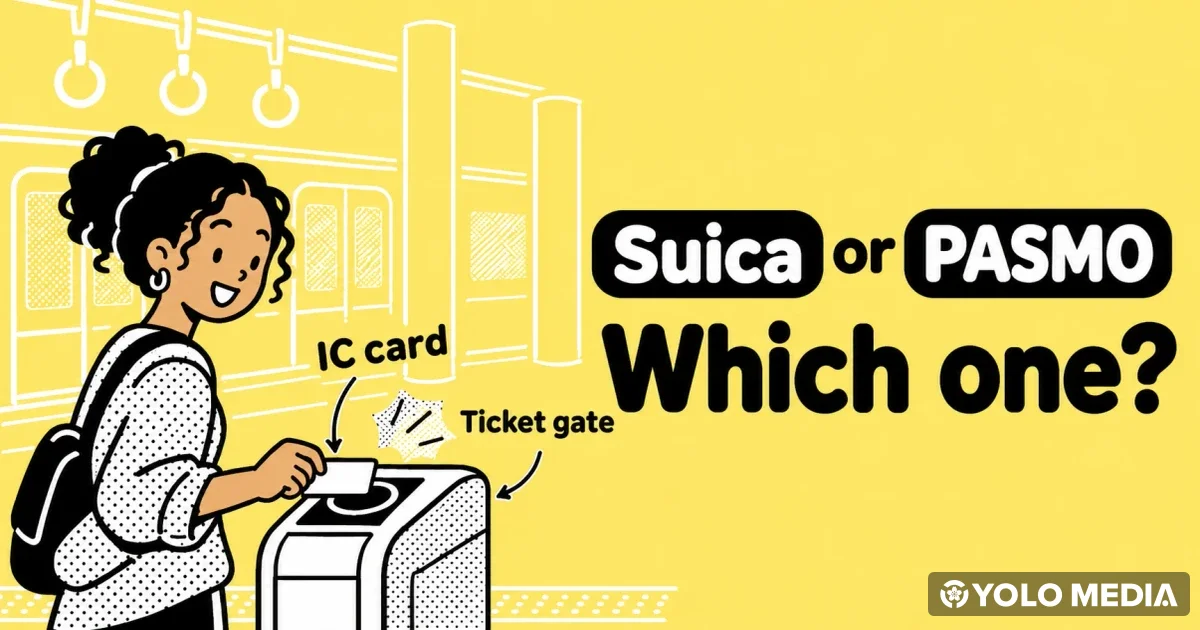
That “ping-pong” sound when a ticket gate blocks you is one of the last things you want to hear first thing in the morning. Japan’s trains are easy to use with a single IC card for transfers and shopping, but at first there is a lot to figure out: Suica or PASMO, a card or your phone, and whether you should buy a commuter pass (teiki-ken).
This article walks through the places where people who have just started living in Japan tend to get stuck, one question at a time.
Fares and sales status are based on official announcements we checked in November 2026. Fares and fees can change, so check the railway company’s notice before you go.
Key Points
- Suica and PASMO work almost the same way in daily life. What decides it is whether your commuter pass route is JR only or subway/private railway only
- Sales of physical cards resumed in September 2024 for named cards and in March 2025 for anonymous cards
- The card deposit is ¥500 and you get it back when you return the card. A ¥220 fee may be deducted
- A mobile version on your phone lets you start without buying a card. Android needs a phone that supports Osaifu-Keitai
- On Tokyo Metro and some other lines, you can also ride with a credit card that supports contactless payment. It cannot be used to travel on to JR East or for a commuter pass
- You cannot ride the Shinkansen with Suica alone. You need a ticket and an express ticket
- To decide on a commuter pass, compare the pass price with your round-trip fare and the number of days you travel
Should I Get Suica or PASMO?
Either one works, and day to day there is almost no difference. The only difference is who issues the card: Suica is issued by JR East, and PASMO is issued by subway, private railway and bus companies. In the Tokyo area the two are interoperable, so one card lets you ride both sets of trains and buses.
When you are getting your first IC card, it is natural to wonder which of the two similar names is the better pick.
The route of your commuter pass decides it
Commuter passes are the one place where it matters. According to JR East, commuter passes for private railways or subways only, such as Tokyo Metro, cannot be bought on Suica. On the other hand, a through commuter pass that spans JR and a private railway or subway can be bought on Suica. If you need a pass for a private railway or subway only, choose PASMO.
| Your situation | Best choice | Note |
|---|---|---|
| Your route is JR only | Suica | JR passes go on Suica |
| Your route is subway or private railway only | PASMO | Suica cannot buy these |
| You transfer between JR and a subway or private railway | Suica | You can buy a through commuter pass. Some combinations are not available, so ask at the counter |
| You do not need a pass yet | Either | Pick whichever is easier to get |
| You want to start right away | Mobile version | If your phone is supported, you can start on the spot |
| You want to ride before getting a Suica | Credit card with contactless payment | You can ride Tokyo Metro and similar lines. It cannot be used to travel on to JR East or for a commuter pass |
| Your phone is not supported | Physical card | Buy a named or anonymous card at the station |
| You are worried about losing it | Named card or mobile | An anonymous card cannot be reissued if lost |
Can I use it in Osaka or Nagoya?
Yes. JR East says a Suica bought in the Kanto area can also be used on railways in Sapporo, Nagoya, Osaka, Fukuoka and other areas. Card names differ by region: Suica and PASMO in Kanto, ICOCA in Kansai, and TOICA in Chubu. ICOCA gets its name from the Kansai way of saying “Let’s go,” which is “ikoka.”
However, you cannot travel across areas, for example starting in the Tokyo area and getting off in Kansai. JR East’s notice also says that it works only with the companies that take part in the shared service, and that some companies are not included. On buses, a card without the Suica mark on its face does not work. If yours has no mark, you can exchange it for free at a station counter.
(Source: JR East FAQ 1146 / JR East FAQ 1013 / JR East FAQ 1139)
Can I Buy a Physical Card Now? Do I Get the Deposit Back?
Yes, you can. The ¥500 deposit also comes back when you return the card. However, a ¥220 fee may be deducted when you return it.
Before you buy a card, you probably want to know when you can get one and whether your deposit comes back.
Can I buy one now?
Sales of both Suica and PASMO had stopped because of a semiconductor shortage, but they have resumed.
| Type | Sales resumed |
|---|---|
| Named card (registered with your name) | September 1, 2024 |
| Anonymous card (no registration) | March 1, 2025 |
When named cards came back, the companies said they might stop sales again if supply runs short. Check the railway company’s website before you go, to be sure.
Named or anonymous: which is better?
| Named card | Anonymous card | |
|---|---|---|
| Registration of your name | Yes | No |
| If you lose it | Can be reissued | Cannot be reissued |
| Good for | People who will use it for a long time | People who want to start right away |
If you plan to use it for a long time, a named card or the mobile version is safer.
How much deposit do I get back?
When you buy a card, you leave a ¥500 deposit. It is not the price of the card; it is money you get back when you return it.
What you get back when you return the card depends on your balance.
| Card balance | Fee | You get back |
|---|---|---|
| ¥221 or more | ¥220 | Your balance minus ¥220, plus ¥500 |
| ¥1 to ¥220 | Your whole balance | ¥500 |
| ¥0 | None | ¥500 |
For example, with a balance of ¥2,000, you get ¥2,000 minus ¥220 plus ¥500, which is ¥2,280.
JR East, which issues Suica, and the Yokohama City Transportation Bureau, which explains PASMO, give the same amounts.
Where do I return it?
| Card | Where to return it |
|---|---|
| Suica | The Midori no Madoguchi at a JR East station (you cannot return it at non-JR East stations or bus offices) |
| PASMO | A station or bus counter in the PASMO area (some counters do not handle it) |
A named card requires ID such as a driver’s license.
When you leave Japan, do not wait until the last minute to return your card. Using up your balance first helps you avoid losing money to the fee.
(Source: Tokyo Metro: Resumption of named Suica and PASMO card sales / Tokyo Metro: Resumption of anonymous Suica and PASMO card sales / Yokohama City Transportation Bureau: PASMO refunds / JR East: Suica refunds / JR East: Suica reissue)
How Do I Use Suica or PASMO on My Phone?
You do not have to buy a card. Add Suica or PASMO to your phone’s wallet app and you can use it right away. You skip the line at the ticket machine and can check your balance on your phone.
Setting up a phone for the first time can feel worrying, because you wonder whether it will really work on your own model.
On an iPhone
Add it from the Wallet app on your iPhone. You need an Apple Account with two-factor authentication turned on.
- Open the Wallet app and tap “+” at the top right
- Choose “Transit Card”
- Choose “Suica” or “PASMO”
- Decide an amount and top up with a card registered in Apple Pay
For supported models and whether an iPhone bought outside Japan can add the card, check Apple’s support page.
On an Android phone
According to Mobile Suica, to use Suica with Google Wallet you need a smartphone that supports “Osaifu-Keitai” (Japan’s mobile wallet standard). You cannot add Suica or PASMO to a phone that does not support it. If you are using a phone bought overseas, check that it says it supports Osaifu-Keitai before you buy. To add it, open Google Wallet, choose to add a card, and select Suica or PASMO. You can also start from the Mobile Suica app.
To buy a commuter pass on Mobile Suica, you need to register as a Mobile Suica member. There are times, such as late at night, when registration and applications are not available, so finish it by the day before.
(Source: Apple Support: Add transit IC cards to Apple Wallet (Japan) / Mobile Suica FAQ 514)
How Do I Tap on Trains, Buses and in Shops?
On trains, you just tap at the gate. On buses, where you tap depends on the company, and in shops you tell the cashier “Suica de” (by Suica) and hold the card over the reader.
At first, it is easy to feel nervous while you look around for where and how to tap, watching the people near you.
On trains
Tap your card or phone firmly on the reader at the gate. Your balance is shown on the gate. If your balance is too low before you enter, top up at a ticket machine or buy a ticket with cash. If your balance runs short after you have entered, top up at the fare adjustment machine (norikoshi seisanki) near the gate and you can get out.
On your first morning, you may tap on the gate with too little balance and get stopped by a “ping-pong” sound. When people are lined up behind you it can feel stressful, but you can step aside calmly and top up at a ticket machine.
At a ticket machine, you can choose from six amounts for a top-up: ¥500, ¥1,000, ¥2,000, ¥3,000, ¥5,000 and ¥10,000. A Suica can hold up to ¥20,000 in total. Even if your balance reaches ¥0, you do not need to buy a new card.
On buses
There are three ways to tap on a bus, depending on how the company charges fares.
| Method | How to tap |
|---|---|
| Pay on boarding | Tap when you get on. Do not tap when you get off |
| Pay on exit | Tap both when you get on and when you get off. The fare is deducted when you get off |
| Distance by declaration | Tell the driver your destination before you tap |
At the bus entrance, you may not be sure which door to board from, and you can end up hesitating in front of the door. Watching which doors other people use before you get on makes it easier.
If you are not sure, asking the driver is the most reliable. Tap firmly on the reader and check that it beeps.
In shops
At convenience stores, supermarkets, vending machines and other places that accept e-money, tell the cashier “Suica de” or “PASMO de” and tap on the reader. You can check whether it is accepted by the mark near the register.
(Source: JR East: How much can I top up my Suica? / JR East FAQ 1057)
Can I Ride Trains by Tapping a Credit Card?
Yes, under certain conditions. On all Tokyo Metro lines, you can ride by tapping a credit card that supports contactless payment, or a phone with that card on it, at the gate. You do not need to register or top up beforehand, and the fare is billed to you later. Cards from Visa, Mastercard, JCB, American Express, Diners Club, Discover and UnionPay are accepted, and cards added to Apple Pay or Google Pay work too.
Before you have a Suica, you probably want some way to ride in the meantime.
Tokyo Metro is interoperable with Tokyu, Odakyu, Keio, Keikyu, Sotetsu, Seibu, Tobu, Toei Subway and Yokohama Minatomirai Railway. However, some stations on Odakyu Hakone, Seibu and Tobu do not support it. The Yokohama Municipal Subway also accepts it at all 40 stations. On the other hand, Tokyo Metro says you cannot travel on to JR East.
| Suica or PASMO | Credit card tap | |
|---|---|---|
| Before you ride | Get a card or the mobile version and top it up | No registration or top-up needed |
| How the fare is paid | Deducted from your topped-up balance | Billed to you later |
| Commuter pass | Can be used | Cannot be combined |
| Traveling on to JR East | Possible | Not possible |
There are three things to keep in mind. First, use the same card when you enter and when you exit. A phone with the same card on it counts as a different one, so you cannot switch at the gate. Second, only the adult fare applies, and there is no child fare. Third, only the cardholder can use it. The Yokohama City Transportation Bureau also says that some cards, such as those issued overseas, cannot be used.
As a stopgap before you get a Suica, if you have a contactless-enabled card issued in Japan, you can ride Tokyo Metro and the supporting private railways as it is. However, if you ride JR or buy a commuter pass, you still need a Suica or PASMO. If your wallet holds several cards, take out only the card you are using so that a different card is not read when you enter and exit.
(Source: Tokyo Metro: Post-payment ride service (credit card tap) / Yokohama City Transportation Bureau: Boarding with contactless payment)
Is a Commuter Pass Worth Buying?
If you travel the same route every day, a pass is often cheaper, but not always. It depends on the pass price, your round-trip fare and the number of days you travel.
A pass is a large payment all at once, and nobody wants to find out afterward that it was a bad deal.
JR East revised its fares on March 14, 2026, and the base fare became ¥160. JR East commuter passes went up by 12% on average. We summarize the details in this article.
Work it out before you buy
- Look up the one-way fare for your route and double it (the round-trip fare)
- Check the 1-month, 3-month and 6-month pass prices at a ticket machine or in a fare search
- Divide the pass price by the round-trip fare to see how many days you need to travel to break even
- Compare that with the number of days you travel in a month
If you travel more days a month than the break-even number of days, a pass is cheaper; if you travel fewer days, topping up and paying as you go is cheaper.
A 3-month or 6-month pass means a bigger payment at once. The size of the discount differs by route and railway company, so convert each to a monthly amount and compare them side by side.
You can estimate the days you travel by multiplying your office days per week by about 4.3.
| Office days per week | Days per month (estimate) | How to think about it |
|---|---|---|
| 2 days | About 9 days | A pass pays off only on routes where the break-even number of days is 9 or fewer |
| 3 days | About 13 days | This is a borderline case, so always calculate it |
| 4 days | About 17 days | A pass pays off on routes where the break-even number of days is 17 or fewer |
| 5 days | About 21 to 22 days | A pass pays off on routes where the break-even number of days is 21 or fewer |
If you mix in remote work, your office days change from month to month. Deciding by whether you still break even in your lightest month makes losing money less likely.
Do not assume a pass is always the better deal. Divide the pass price by your round-trip fare and compare it with the days you travel.
Benefits of a pass and how to buy one
If your company pays commuting costs, you may be able to claim the pass price. The rules differ by company, so check when you join.
A JR pass can be bought at JR East stations at a reserved-seat ticket machine, a multifunction ticket machine or the Midori no Madoguchi. A PASMO pass is bought at a ticket machine in a station that handles PASMO (a model that sells passes) or at the pass counter. At the machine, choose “Commuter pass” and “New,” then enter your departure and arrival stations, commuting or school, and the period.
You cannot pay for a pass with your Suica balance. You pay with cash, a credit card or a Viu gift voucher. For the mobile version, register as a Mobile Suica member and apply in the app. A pass you no longer use can be refunded, but a fee applies and you need ID.
(Source: Ministry of Land, Infrastructure, Transport and Tourism: Approval of JR East fare ceiling change / JR East: Details of the fare revision / JR East FAQ 992 / JR East FAQ 2908)
What Are the Common Mistakes?
Here are the mistakes that are common in the first month, in a table. Almost everyone makes them at first, so do not worry too much. All of them are avoidable if you know about them.
| Mistake | What happens | How to avoid it |
|---|---|---|
| Entering the gate with too little balance | The gate closes | Check your balance before you leave. If it is low, top up at a ticket machine |
| Trying to ride the Shinkansen with Suica alone, without registering | The gate does not open | Prepare a ticket and an express ticket separately |
| Tapping two stacked cards on a ticket gate | The gate cannot process them and the doors close | Take out only the card you are using |
| Losing an anonymous card | It cannot be reissued | If you will use it for a long time, choose a named card or mobile |
| Trying to pay for a pass with your Suica balance | The machine will not sell it | Pay with cash or a credit card |
| Trying to add Suica to a phone bought overseas | It cannot be added unless the phone supports it | Check for “Osaifu-Keitai support” before you buy |
You cannot ride the Shinkansen with Suica alone
According to JR East, you can buy an express ticket with your Suica balance, but you cannot board a limited express train with Suica alone without buying an express ticket in advance. For the Shinkansen, you need a ticket and an express ticket. When you use paper tickets, insert the ticket and the express ticket first at the Shinkansen transfer gate, then tap your Suica. There is also a service called “Touch de Go! Shinkansen” that lets you ride non-reserved seats with a registered Suica. Also, on limited express trains running through between JR East and Tobu lines, Suica cannot be used as the ticket.
Tapping as if it were an ordinary train and having the gate close is a common example on business trips and travel. On the day you ride the Shinkansen, get your tickets ready before the gate.
(Source: JR East FAQ 1061 / JR East FAQ 1054 / Mobile Suica FAQ 469 / JR East FAQ 2908)
FAQ
Q: What happens if I lose my IC card?
A named card can be reissued. The procedure is not accepted by phone or online, so you go to a station counter with ID such as a driver’s license. An anonymous card has no registered owner, so it cannot be reissued. First talk to the staff at a station counter.
(Source: JR East FAQ 2906 / JR East: Suica reissue)
Q: Can I use a Suica from Tokyo in Kyoto or Osaka?
Yes. JR East says Suica can be used on railways in Osaka, Nagoya, Sapporo, Fukuoka and other areas. However, you cannot travel across areas, for example starting in the Tokyo area and getting off in Kansai.
(Source: JR East FAQ 1013)
Q: Can I use Mobile Suica on a phone bought overseas?
On Android, you cannot add it unless the phone supports Osaifu-Keitai. If you use a phone bought overseas, check before you buy that it supports it. For iPhone, check the supported models on Apple’s support page. Apple’s notice does not say anything about the country of purchase, so the sure way is to try adding it from Wallet.
(Source: Mobile Suica FAQ 514 / Apple Support: Add transit IC cards to Apple Wallet (Japan))
Q: Can I have both Suica and PASMO?
You can, with no problem. However, if you hold two or more IC cards, such as Suica and PASMO, over a ticket gate at the same time, the gate cannot process them and the doors close. Do not leave both in the same pass holder or card case. Take out only the card you want to use and tap.
(Source: JR East FAQ 1141)
Q: Can I ride trains by tapping a credit card?
Yes, under certain conditions. On all Tokyo Metro lines, you can ride by tapping a credit card or phone that supports contactless payment at the gate. You do not need to register or top up. However, it cannot be used to travel on to JR East or for a commuter pass, and you must use the same card when you enter and exit.
(Source: Tokyo Metro: Post-payment ride service (credit card tap) / Yokohama City Transportation Bureau: Boarding with contactless payment)
Q: Can I buy a commuter pass with money charged on my Suica?
No. A pass is paid for with cash, a credit card or a Viu gift voucher.
(Source: JR East FAQ 2908)
Q: How many days a week do I need to travel for a pass to be worth it?
It depends on the route, so there is no fixed number. Divide the pass price by the round-trip fare to see how many days you need to travel to break even. If you travel more days than that, a pass is cheaper; if fewer, topping up and paying as you go is cheaper. Three days a week is often the borderline, so decide by calculating.
Q: Can I top up inside the gate if my balance runs short?
Yes. If your balance runs short after you enter the gate, top up at the fare adjustment machine (norikoshi seisanki) near the gate and you can get out.
(Source: JR East FAQ 1057)
Summary
Suica and PASMO work almost the same in daily use whichever you choose. If you are unsure, decide by the route of your commuter pass: Suica if it is JR only, PASMO if it is subway or private railway only. Going in this order keeps things simple.
- Find out whether your pass route is JR or subway/private railway, and choose Suica or PASMO
- Check whether your phone supports Osaifu-Keitai or the wallet app, and choose a card or the mobile version
- If you have a route you travel daily, look up the round-trip fare and pass price and calculate
- When you ride the Shinkansen, prepare a ticket and an express ticket separately
If you use trains and buses a lot, YOLO WORK’s Transportation Allowance feature can help you look for jobs that cover commuting costs.
 Living in Japan
What to Do After Arriving in Japan as a Student (2026)
Just landed in Japan as a student? Here's what to do after arriving in Japan, in order: Residence Card, SIM, city office…
Read related article
 Living in Japan
International Student Monthly Living Costs in Japan (2026)
How much do international students spend monthly in Japan? JASSO data breaks down rent, food, tuition, regional gaps, an…
Read related article
 Money & Finance
Cashless Payments in Japan for Residents: PayPay and Suica
Living in Japan? Go cashless step by step: PayPay signup and residence card ID checks, ATM top-ups, 2026 card changes, S…
Read related article
 Work & Career
Part-Time Job Documents in Japan: What to Prepare
A practical guide to the paperwork for a part-time job in Japan: the five documents almost everyone needs, handling My N…
Read related article