Introduction
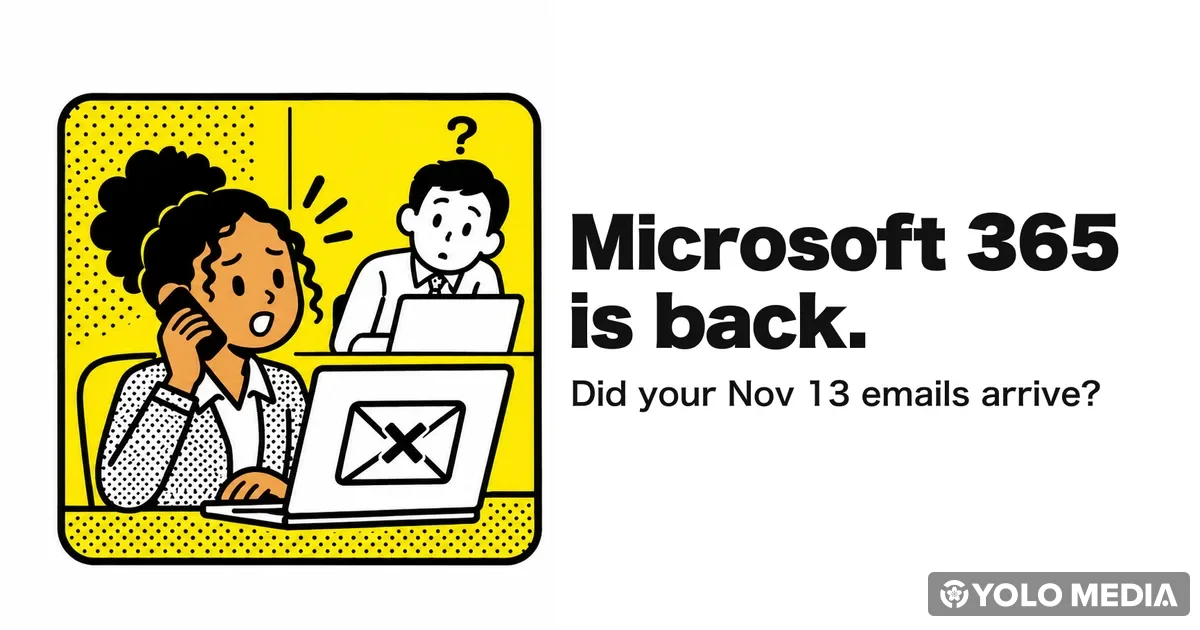
On November 13, many people in Japan could not read or send email in Outlook at work. This was caused by a global outage of Microsoft 365, Microsoft’s work service.
On November 14, Microsoft updated its incident records to “service restored.” Microsoft said the cause was a problem in its own network work, not a cyberattack.
This article looks back at what happened, explains how to check emails you sent during the outage, and covers what to do at a Japanese workplace if email stops working again.
Disclaimer: This article is based on Microsoft’s incident records and news reports on them (ITmedia NEWS, Mynavi News, Data is CITY), as of November 17, 2026.
What Happened
Here is a summary based on Microsoft’s incident records and news reports. All times are Japan time (JST).
| Item | Details |
|---|---|
| Period of impact | 1:20 a.m. Nov 13 to 1:10 a.m. Nov 14 (according to Microsoft’s final update) |
| Main impact | Outlook (Exchange Online) could not connect to mailboxes, and email was delayed |
| Other affected services | Teams calendar features, SharePoint, Microsoft 365 Copilot, Defender XDR, and more |
| Region | Users around the world, including Japan |
| Restoration | Around 1:15 p.m. Nov 14, Microsoft updated its records to “service restored” |
In Japan, reports of “I can’t read my work email” rose sharply from just after 4 a.m. on November 13. Microsoft began fixing its systems step by step that afternoon, and around 9 p.m. it said Japan was “relatively stable.”
(Source: Data is CITY "Global Microsoft 365 outage")
Microsoft tracked the outage under these incident IDs. Your company’s IT team can look them up in “Service health” in the Microsoft 365 admin center.
- EX1550543: Exchange Online (Outlook email)
- MO1550821: Multiple Microsoft 365 services
(Source: Mynavi News "Major Microsoft 365 outage, Outlook unable to connect", Microsoft incident records (copy published by the University of Pennsylvania))
What Caused It
On November 14, Microsoft explained the cause as follows:
- A problem was introduced during an earlier network capacity upgrade, and it surfaced after a recent network change
- It was a technical issue not related to cyberattacks or AI / agents
- Because demand was so high, Microsoft restored service gradually and checked stability at each stage, which took longer
Microsoft later shared a preliminary root cause (its analysis is still ongoing):
- The systems that establish connections to Exchange Online (Outlook email) failed
- Traffic shifts during standard network maintenance and upgrades exposed a hidden bug
- Requests waiting to be processed piled up quickly, the servers ran out of processing capacity, and they could no longer accept new connections
The outage did not spread because of a sudden rise in traffic. Many servers failed automatic health checks and dropped out one after another, putting heavy load on the servers that remained, Microsoft said.
(Source: ITmedia NEWS "Major Microsoft 365 outage", Microsoft incident records (copy published by the University of Pennsylvania))
On November 16, Microsoft announced that it had published a post-incident report on the outage. The report is available to company administrators in the Microsoft 365 admin center, so ask your IT team if you need the details.
The outage was on Microsoft’s side, not a problem with your computer or account. Even now that it is fixed, you do not need to change your password or reinstall any apps.
What to Do Now That It’s Fixed
1. Check whether important emails you sent arrived
During the outage, Microsoft extended the time it keeps retrying delivery of delayed emails to 48 hours, so that messages would not be lost. That means emails you sent on November 13 may have reached people late.
- For important emails to clients or your manager, it is a good idea to ask, “Did you receive the email I sent on November 13?”
- If you resend the same email right away, the other person may end up with two copies. Ask first whether it arrived.
(Source: Data is CITY "Global Microsoft 365 outage")
2. Don’t miss emails that arrived late
Emails sent to you on November 13 may also have arrived late. Scroll back through your inbox to November 13 and check for anything that needs a reply or has a deadline.
3. Watch out for “please log in again” emails
After a big outage, fake emails and messages that take advantage of it sometimes appear. Do not open links that say things like “Please log in again because of the outage.” If you really need to do something, your company’s IT team will tell you.
(Source: Data is CITY "Global Microsoft 365 outage")
What to Do at Work in Japan If Email Stops Again
Outages of services like Microsoft 365 can happen again. Here is what to do next time.
1. Ask your coworkers first, then tell your manager early
When Outlook won’t connect, first ask a coworker, “Is your Outlook working?” If others have the same problem, it is likely an outage on the service side.
Then tell your manager briefly: “Outlook won’t connect, so I can’t send or receive email. Others seem to have the same problem.” Japanese workplaces value hourensou (report, contact, consult), which means telling your manager about problems early. Our guide to Japanese business etiquette explains hourensou in more detail.
 Work & Career
Japanese Business Etiquette: Workplace Rules for Newcomers
Japanese business etiquette for newcomers: greetings, horenso, business cards, seating, overtime and paid leave, drinkin…
Read related article
2. Switch to another contact method that follows company rules
During this outage, Microsoft said Teams chat and meetings mostly kept working. When email is down, you can contact people in these ways:
- Teams chat and meetings: features other than email may still work
- Phone: the most reliable choice for clients and urgent contacts
- Other methods your company has set: follow your IT team’s instructions
Some companies do not allow sending work files through personal LINE or social media. Check with your manager before using them. For phone greetings and phrases for transferring calls, see our Japanese business email and phone guide.
 Japanese Language
Japanese Business Email & Phone Guide 2026: Work Templates
Copy-paste Japanese business email templates and phone scripts for working in Japan: addressing, set phrases, requests, …
Read related article
3. Contact people first if you have a deadline
If you need to send something by email by a deadline, let the other person know by phone first. Saying “Our email is down, so I haven’t been able to send it. I’ll send it as soon as it’s back” keeps them from waiting without knowing why.
4. Know where to check the status
- Microsoft service status page (status.cloud.microsoft): a public page anyone can view
- Microsoft 365 Status (official X account @MSFT365Status): Microsoft posts outage updates here
- Your company’s IT team: they can check “Service health” for information specific to your company
FAQ
Q. Is the Microsoft 365 outage fixed?
A. Yes. Around 1:15 p.m. on November 14 (JST), Microsoft updated its incident records to “service restored.” If you still have problems, contact your company’s IT team.
Q. Was it a cyberattack?
A. No. Microsoft said it was caused by a problem introduced during earlier network work and was not related to cyberattacks or AI.
Q. Did the emails I sent on November 13 arrive?
A. They may have arrived late. Microsoft extended its delivery retry period to 48 hours. For important emails, check that they arrived before resending.
Q. Should I change my password?
A. The outage was on Microsoft’s side, so there is no need to change your password because of it. Also, do not open links in emails asking you to “log in again.”
Q. What should I do if Outlook stops connecting again?
A. First check whether coworkers have the same problem, and tell your manager early. Switch urgent contacts to phone or Teams chat, and let people know in advance if you have a deadline.
Key Takeaways
- ✅ Microsoft announced on November 14 that the Microsoft 365 outage that began November 13 was resolved
- ✅ The cause was a problem in Microsoft’s network work, not a cyberattack
- ✅ Check that important emails from November 13 arrived before resending them
- ✅ Do not open links in “please log in again because of the outage” emails
- ✅ If email stops again, tell your manager and switch to phone or Teams
Losing work email for a day can happen at any company. Start by checking that your November 13 emails arrived, and talk with your team about how you will contact each other next time.